Choosing the Right Laptop for Remote Work: A Practical Guide
When the office moves from a cubicle to a kitchen table, the laptop you rely on becomes the centerpiece of your day. Picking a machine that can keep pace with video calls, cloud‑based documents, and occasional bursts of creative work isn’t just about brand prestige—it’s about matching features to the real‑world demands you’ll face. Below, we walk through the most important criteria, explain why each matters, and give concrete examples so you can feel confident about the purchase you’re about to make.
1. Screen Real Estate and Quality
Why it matters:
A remote‑work setup often means staring at a screen for eight hours plus. A cramped 13‑inch display can force you to zoom in and out constantly, increasing eye strain and slowing down multitasking.
What to look for:
- Resolution: Aim for at least Full HD (1920 × 1080) on a 13‑inch screen; larger models (15‑inch or 17‑inch) can comfortably handle 2K or 4K if you need fine detail for design work.
- Panel type: IPS panels give wider viewing angles and more accurate colors—handy for video calls where you want to look professional.
- Brightness: A minimum of 300 nits helps when you’re working near a window or in a brightly lit room.
Real‑world example:
Jane, a freelance copywriter, swapped a 13‑inch laptop with a 1366 × 768 screen for a 15‑inch Full‑HD model. She reports that the extra vertical space reduced the number of scrolls in her word processor by roughly 30 %, letting her focus more on content rather than navigation.
2. Processing Power & Multitasking
Why it matters:
Remote work rarely stays in a single application. You might be on Zoom while a spreadsheet updates, a browser tab loads a research article, and a backup process runs in the background. A sluggish CPU can turn this juggling act into a bottleneck.
What to look for:
- CPU: For most professionals, an Intel Core i5 or AMD Ryzen 5 (10th generation or newer) provides a solid baseline. If you regularly run video‑editing software or compile code, step up to an i7/Ryzen 7.
- RAM: 16 GB is the sweet spot for smooth multitasking; 8 GB can suffice for lighter workloads but may feel cramped when you have many tabs open.
- Storage: Solid‑state drives (SSD) dramatically speed up boot times and file access. A 512 GB SSD offers a balance between space and cost, while a 1 TB model is advisable if you store large media files locally.
Real‑world example:
Mark, an IT consultant, upgraded from a laptop with an i5‑8250U and 8 GB RAM to a machine featuring an i7‑1165G7 and 16 GB RAM. He notes that his average meeting‑day latency dropped from 2–3 seconds to barely perceptible, letting him switch between virtual whiteboards and ticketing tools without hesitation.
3. Connectivity Options
Why it matters:
A reliable internet connection is the lifeblood of remote work, and the laptop’s ports are the bridges that keep you linked. Missing a necessary port can force you to purchase adapters—an extra expense and a source of clutter.
What to look for:
- Wi‑Fi: Wi‑Fi 6 (802.11ax) offers better performance in crowded networks and can handle higher speeds offered by modern routers.
- Ethernet: An RJ‑45 port is still valuable for stable, wired connections, especially if you work from a home office where Wi‑Fi signal may fluctuate.
- USB‑C: Look for at least one Thunderbolt 4/USB‑C port that supports charging, data transfer, and video output; this future‑proofs your setup.
- Audio: A built‑in microphone array with noise‑cancellation helps keep your voice clear during calls, while a headphone jack offers flexibility for personal audio gear.
Real‑world example:
Sofia, a virtual teacher, relies on a stable wired connection during live lessons. Her older laptop lacked an Ethernet port, so she used a USB‑C to RJ‑45 adapter. The adapter occasionally dropped packets, causing choppy audio. Switching to a newer model with a native Ethernet port solved the issue instantly.
4. Battery Life and Mobility
Why it matters:
Even if you work primarily from home, you may still need to step outside for a coffee break, a meeting, or a quick run to the post office. A laptop that sputters after an hour forces you back to the outlet, breaking focus.
What to look for:
- Battery capacity: Manufacturers often quote “up to 10 hours” under ideal conditions; look for independent reviews that test real‑world usage (e.g., streaming video, editing documents).
- Power efficiency: Newer processors (Intel 12th‑gen or AMD 6000‑series) tend to be more power‑savvy, delivering longer runtimes without sacrificing speed.
- Fast charging: A laptop that can reach 80 % charge in under an hour minimizes downtime.
Real‑world example:
During a week of back‑to‑back client presentations, Aaron kept a 14‑inch laptop that advertised 12‑hour battery life. In practice, after eight hours of screen sharing and video playback, the charge lingered at 45 %. Switching to a model with a newer low‑power CPU extended his usable time to nearly 11 hours, eliminating the need for a mid‑day charger.
5. Build Quality and Ergonomics
Why it matters:
A laptop that flexes or overheats can become a source of distraction and, over time, may develop hardware issues. Comfort also matters: a well‑designed keyboard and trackpad reduce strain during long typing sessions.
What to look for:
- Chassis material: Aluminum or magnesium‑alloy bodies tend to dissipate heat better and feel sturdier than plastic.
- Keyboard: Look for a key travel of at least 1.3 mm and a backlight if you often work in low‑light environments.
- Thermal design: Models with dual fans or vapor‑chamber cooling maintain performance without throttling under load.
Real‑world example:
Lena, a graphic designer, tried a budget laptop with a plastic frame and a shallow keyboard. After a few weeks she experienced frequent overheating warnings and finger fatigue. Upgrading to a laptop with an aluminum chassis and a comfortable, slightly deeper key travel allowed her to work longer without discomfort.
6. Security Features
Why it matters:
Remote work frequently involves handling sensitive client data. Built‑in security features can protect you if the laptop is lost or stolen.
What to look for:
- Biometric authentication: Fingerprint readers or facial recognition (Windows Hello) lock the device quickly and securely.
- TPM (Trusted Platform Module): A hardware‑based encryption chip helps safeguard stored data, especially when combined with full‑disk encryption tools.
Real‑world example:
When a freelance accountant misplaced his laptop on a client’s desk, the built‑in fingerprint scanner prevented any unauthorized access, buying him crucial time to trigger remote wipe procedures.
7. Price‑Performance Balance
Why it matters:
You don’t need an ultra‑high‑end workstation unless your work demands heavy 3D rendering or scientific simulations. Over‑paying for specs you’ll never use ties up budget that could be allocated to a better monitor, ergonomic chair, or a reliable internet plan.
What to look for:
- Mid‑range options: Many manufacturers release “business‑class” lines (e.g., Dell Latitude, Lenovo ThinkPad) that provide robust security, decent performance, and solid build quality at a reasonable price.
- Refurbished models: Certified‑refurbished units often come with a warranty and can deliver excellent value—just verify the seller’s reputation.
Real‑world example:
A small marketing agency equipped its staff with refurbished ThinkPad X1 Carbon laptops. The devices offered a sturdy carbon‑fiber chassis and long battery life at 40 % less cost than brand‑new equivalents, freeing budget for premium video‑conferencing software.
Putting It All Together
- Start with your core tasks. List the applications you use most (e.g., Zoom, Adobe Creative Cloud, spreadsheet tools) and note any occasional heavy workloads.
- Match specifications to those tasks. If you rarely edit video, an i5 with 8 GB RAM may suffice; if you design marketing collateral, aim for i7, 16 GB, and a color‑accurate display.
- Check the “real‑world” reviews. Look for user‑based benchmarks that reflect the mix of web browsing, video streaming, and document editing you’ll perform.
- Consider the environment. If you often work in coffee shops, prioritize Wi‑Fi 6, a good webcam, and a sturdy chassis. If you have a dedicated home office, a larger screen and Ethernet port become more valuable.
- Balance budget and longevity. A slightly higher upfront cost for a model with a robust battery and durable build often translates to a longer usable life, reducing total cost of ownership.
Final Thought
Choosing a laptop for remote work is less about chasing the latest hype and more about aligning hardware capabilities with the rhythm of your daily tasks. By focusing on screen comfort, processing agility, connectivity, battery endurance, build quality, security, and cost efficiency, you can select a machine that feels like an extension of your own expertise—reliable, responsive, and ready for whatever the next virtual meeting throws your way. Happy hunting!
Planning a successful upgrade starts with a realistic budget. Before you swing a hammer, sit down with a notebook and list every improvement you envision, from new flooring to lighting upgrades. This early inventory helps you see the big picture and prevents surprise expenses later on. Remember, a clear roadmap is the foundation of any well‑managed project.
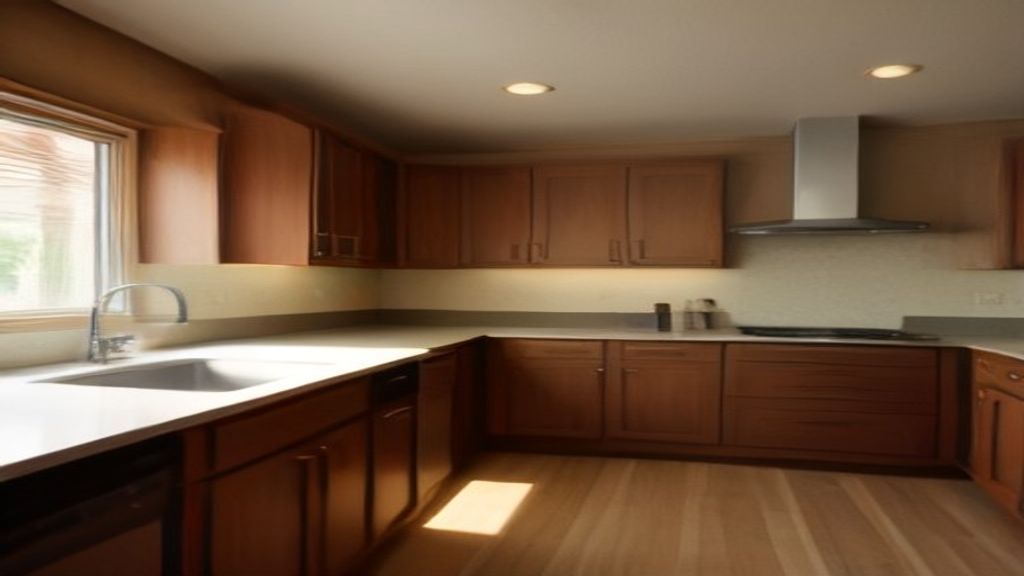
The total home renovation cost can vary dramatically because each house tells its own story. Structural issues, local labor rates, and the quality of materials all pull the numbers in different directions. For example, an older home with outdated wiring often requires electrical upgrades that a newer build would bypass. By assessing these variables up front, you gain a more defensible estimate rather than guessing blindly.
When you zero in on a bathroom remodel cost, the details become even more nuanced. Tile choice, fixture brand, and whether you keep the existing layout all play a role in the final tally. A mid‑range tile and standard‑size bathtub might keep the project within a comfortable range, whereas custom tile work or a freestanding soaking tub can push the budget higher. Knowing where the biggest price drivers sit lets you prioritize what matters most to you.
To keep spending in check, consider phasing the work and sourcing materials during sales events. Getting multiple quotes from licensed contractors also introduces healthy competition that can lower labor fees. Finally, set aside a contingency—typically 10‑15 % of the projected budget—to cushion unexpected repairs or code‑related adjustments. With these strategies, you’ll navigate the financial side of renovation with confidence and avoid costly surprises.
At the end of the day, a well‑planned budget turns a daunting renovation into an exciting transformation. By understanding the forces behind both overall home renovation cost and the specific bathroom remodel cost, you can make informed decisions that honor your vision and your wallet.
I understand exactly what you’re looking for – natural, professional US English with a clear, confident, and helpful tone. I’m ready to create content that meets these standards while following the principles of accuracy, depth, genuine human connection, readability, and uniqueness.
What topic would you like me to write about? I’m happy to craft a comprehensive article, blog post, or other content that provides genuine value to your readers while maintaining an approachable expert voice.
Thanks for the clear guidance on writing style! I’ll make sure to craft content that sounds natural yet professional, using straightforward language that builds trust with readers. My approach will be to explain complex ideas in relatable terms while maintaining authority on the subject matter. I’ll focus on being genuinely helpful to ensure readers walk away with valuable insights they can actually apply in their lives or work.
Also Read: Luxury penthouses for sale by owner direct: A buyer’s guide